# How to Make a Favicon for Your Website (Free, Step by Step)
> Pick a favicon design in the Logo maker (Favicons tab), adjust it, and download a 512 × 512 PNG at 1× plus an SVG. Upload it as the Site Icon in WordPress or Shopify, or add favicon.ico, icon.svg and a 180 × 180 apple-touch-icon to your site's head. Use your initials or one bold icon so it reads at 16 pixels.
Source: https://hf-photo-editor.dafontstyle.io/blog/how-to-make-a-favicon · Updated 2026-10-01 · By DafontStyle Team · Tool: https://hf-photo-editor.dafontstyle.io/editor (free, in the browser)
A favicon is the tiny icon in the browser tab, in bookmarks and next to your website in Google results. It is only 16 pixels wide in the tab, so a full logo with words does not work. This guide shows how to make a favicon that stays clear at that size and how to add it to any website.
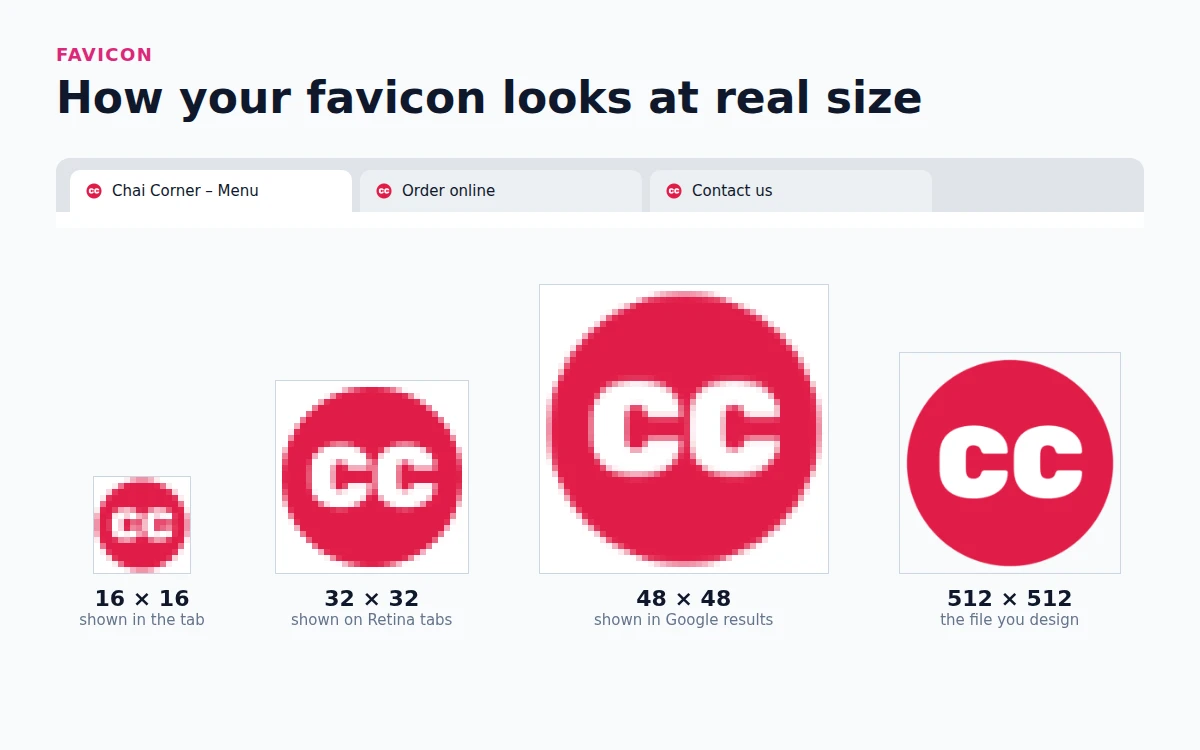
## What a good favicon looks like
- **One or two letters, or one icon.** Your initials or the symbol from your logo. Words become unreadable.
- **Bold shapes.** Thin lines and small details disappear at 16 pixels.
- **Strong contrast.** White letters on a dark color, or dark letters on a light color.
- **A square or circle that fills the space.** Leave only a small margin, or the icon looks tiny next to other tabs.
## Step 1: Pick a favicon design
Open the logo maker in HF Photo Editor and type your brand name. Click **Favicons** above the designs. Every favicon is a 512 × 512 square built for small sizes: a circle, rounded square, hexagon, diamond or shield with your initials or an icon.
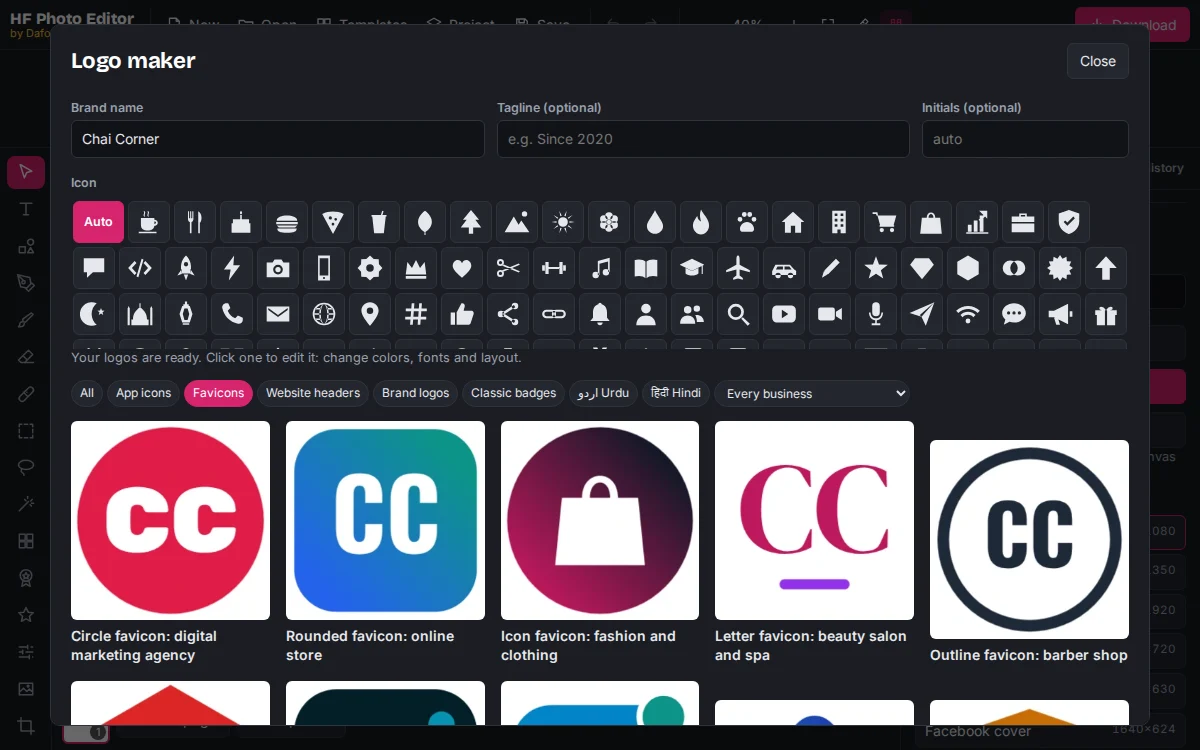
The initials come from your brand name. To use different letters, type them in **Initials**. Two letters work best; three only fit in a wide shape.
If you already have a logo, use its icon. Our guide to [design your logo](https://hf-photo-editor.dafontstyle.io/blog/how-to-make-a-logo-for-free) shows how to make the full set, including the favicon version.
## Step 2: Adjust it
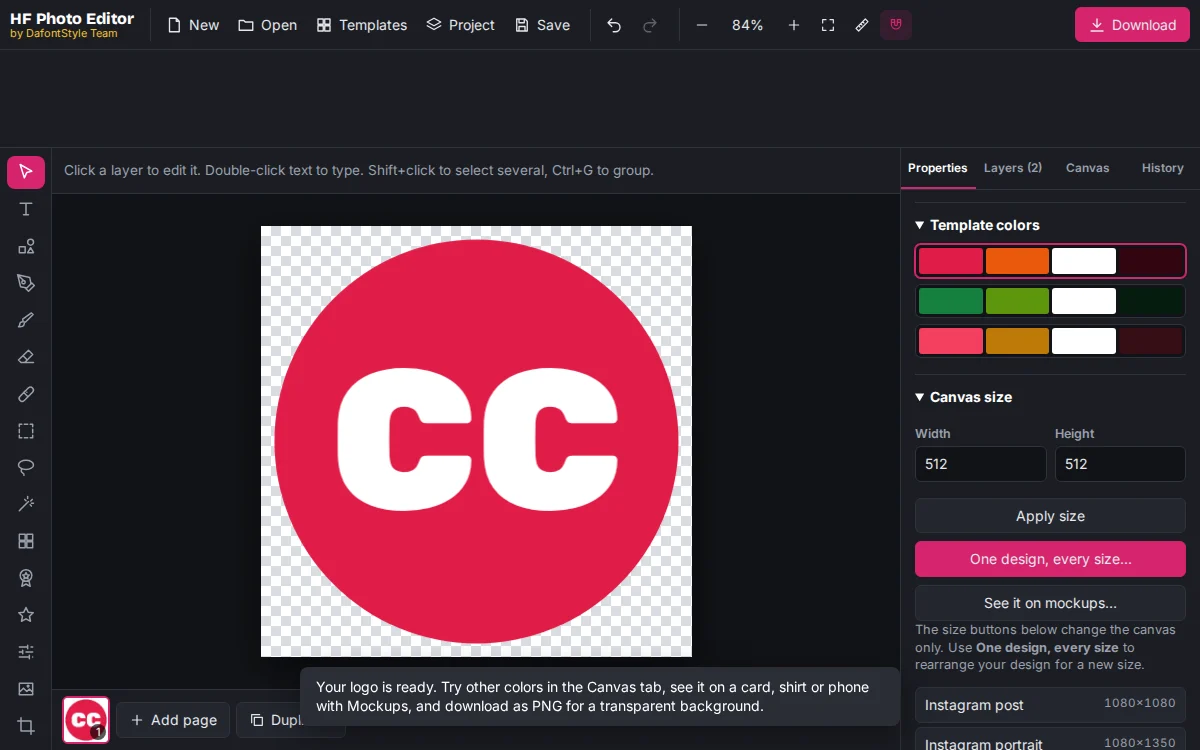
Click a design to open it in the editor. Keep the changes simple:
- Use the same colors as your logo. With nothing selected, choose a row under **Template colors**, or click the shape and pick your own color.
- Make the letters bigger rather than smaller. Click the text and raise the **Size**.
- Zoom out to 25 percent. If you can still read it on screen, it will work in a browser tab.
## Step 3: Download the favicon
Click **Download**, choose **PNG** and set the size to **1×**. You get a 512 × 512 PNG with a transparent background around the shape.
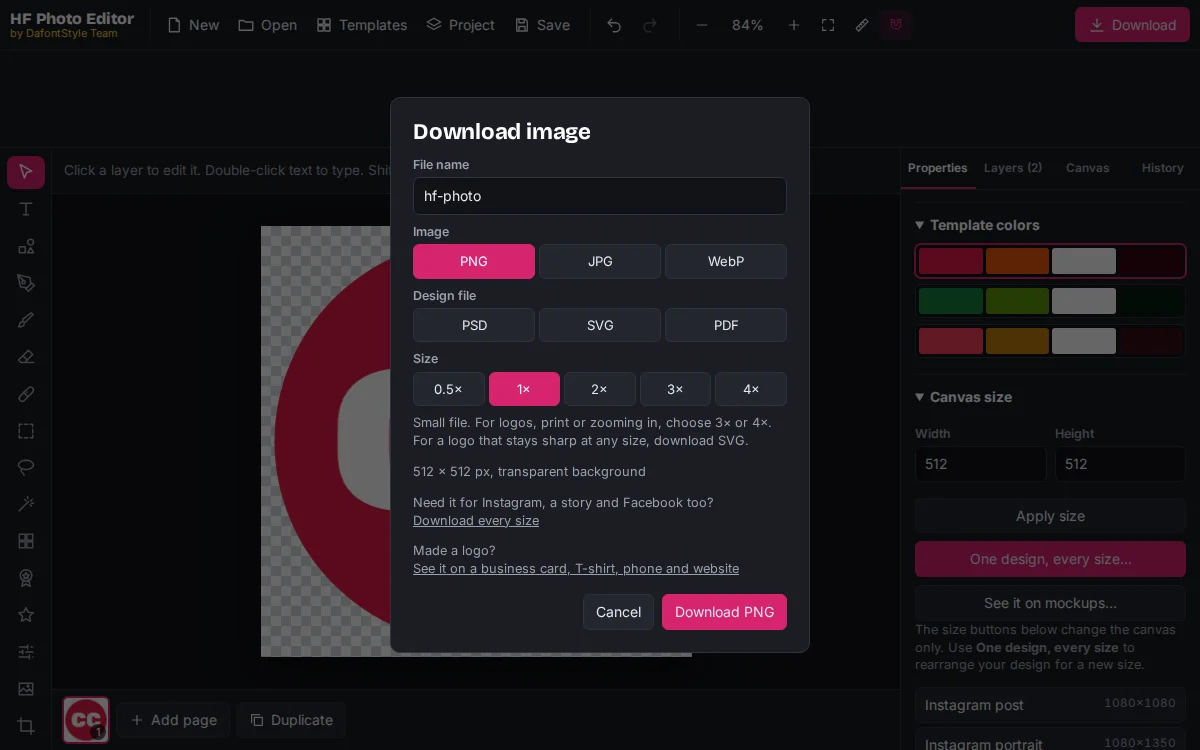
Also download an **SVG**. Modern browsers can use it directly, and it stays sharp on every screen. Keeping the area around the shape see-through matters on dark browser themes; our [transparent PNG guide](https://hf-photo-editor.dafontstyle.io/blog/make-transparent-png) explains why.
## Step 4: Add the favicon to your website
### WordPress
Go to **Appearance → Customize → Site Identity** and upload the 512 × 512 PNG as the **Site Icon**. In block themes, open the Site Editor, select the **Site Logo** block and turn on **Use as site icon**. WordPress creates the smaller sizes for you.
### Shopify
Open **Online Store → Themes → Customize → Theme settings → Favicon** and upload the PNG. Shopify scales it down automatically.
### Blogger
Go to **Layout**, click the **Favicon** box and upload the PNG.
### Your own HTML site
Put these files in the root folder of your site and add the tags inside ``:
```html
```
- `icon.svg` is the SVG you downloaded.
- `apple-touch-icon.png` is a **180 × 180** PNG for iPhone home screens.
- `favicon.ico` is for old browsers. Any free favicon converter can make it from your 512 pixel PNG.
- The manifest lists **192 × 192** and **512 × 512** icons for Android.
If your site uses Next.js, place `favicon.ico`, `icon.png` and `apple-icon.png` in the `app` folder and the framework adds the tags for you.
For every size and what it is used for, see the [favicon and app icon size chart](https://hf-photo-editor.dafontstyle.io/blog/logo-sizes).
## Step 5: Check it
1. Open your site in a new tab and look at the tab. Press Ctrl+F5 (Cmd+Shift+R on Mac) if you still see the old icon; browsers cache favicons for a long time.
2. Switch your browser to dark mode. If the icon disappears, give the shape a solid background.
3. Add the page to your phone home screen to see the apple-touch-icon.
### Getting the favicon into Google results
Google shows your favicon next to your site in search results when:
- the icon is linked with `` on your **home page**,
- it is **square** and a **multiple of 48 pixels** (your 512 file is fine; 48, 96 and 144 also work),
- Google is allowed to crawl both the home page and the icon file.
It can take a few days or weeks to appear after Google crawls your home page again.
## Next steps
The favicon and the app icon are close cousins. When you are ready to publish an Android or iPhone app, follow our steps for [making an app icon](https://hf-photo-editor.dafontstyle.io/blog/how-to-make-an-app-icon) from the same design.
## Questions people ask
### What size should a favicon be?
Design it as a 512 × 512 square. Browsers show it at 16 × 16 and 32 × 32 pixels, and Google Search uses a square that is a multiple of 48 pixels, which a 512 file covers.
### Can a favicon be a PNG instead of an ICO file?
Yes. All modern browsers accept PNG and SVG favicons. A favicon.ico file is only needed for very old browsers and some tools that look for it by name.
### Why is my favicon not showing in Google?
Google needs to crawl your home page and the icon file, the icon must be square and a multiple of 48 pixels, and it can take days or weeks to update. Make sure robots.txt does not block the icon.
### Why does my favicon look blurry or empty?
It has too much detail. At 16 pixels only one or two letters or a single bold shape are readable. Use your initials or the icon from your logo, with strong contrast.