Plain text is easy to miss. A glowing neon word, a gold title or a bold 3D headline catches the eye on a poster, thumbnail or Instagram post. This guide shows how to add text effects online in one click, and how to adjust them so they look like yours.
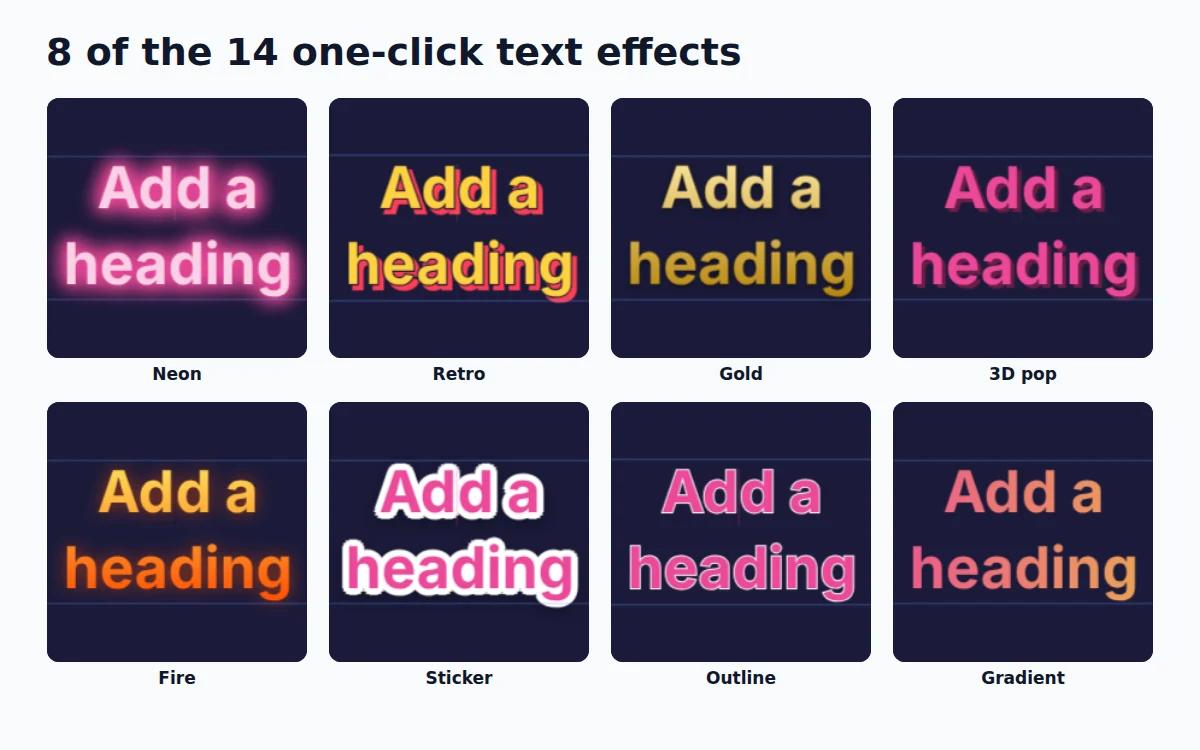
The 14 text effects
| Effect | Best for |
|---|---|
| Clean | Removes every effect and goes back to plain text |
| Soft shadow / Lifted | Readable text on photos, captions, quotes |
| Outline / Hollow | Bold titles, modern posters, text over busy backgrounds |
| 3D pop | Sale banners, kids' and gaming designs |
| Neon | Night events, music, gaming, cafés |
| Retro | 80s and 90s styles, food and fashion |
| Gradient / Fire | Tech, startups, energetic headlines |
| Gold | Weddings, Eid, luxury brands, awards |
| Sticker | Social posts and thumbnails that need to pop |
| Highlight | Reels captions and key phrases |
| Soft glow | Light text on dark photos |
Step 1: Add or select your text
Open HF Photo Editor and add a heading, or open any template and click its title. Double-click to change the words. For fonts, sizes and colors, our guide to adding and styling text on a photo covers the basics.
Bold, chunky fonts show effects best. Try Montserrat Black, Anton, Bebas Neue or Poppins ExtraBold.
Step 2: Click an effect
With the text selected, find Text effects in the Properties panel and click one of the previews.
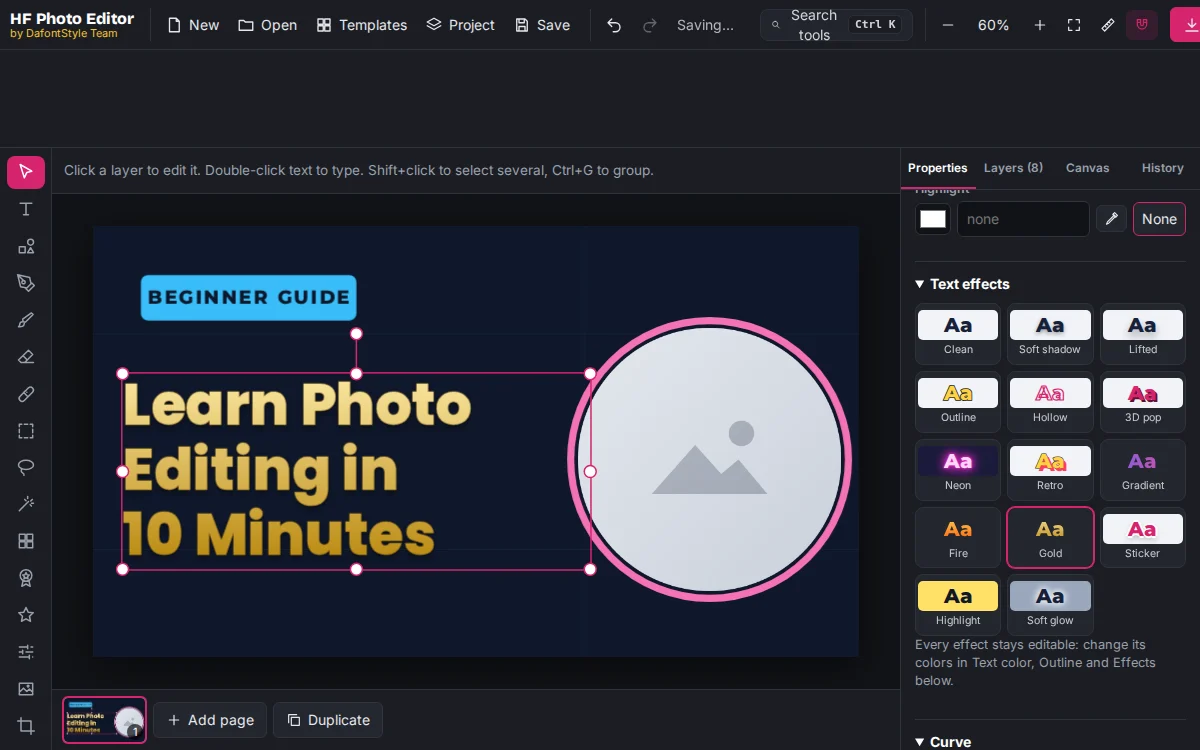
Each effect is built from your text's own color and size. Neon on pink text glows pink, and the shadow of a big title is bigger than the shadow of small text. Click another effect to swap it; the old one is removed first, so effects never pile up.
Prefer the keyboard? Press Ctrl+K, type "neon" or "gold" and press Enter.
Step 3: Make it yours
Every effect is made of normal settings, so you can change any part of it:
- Text color changes the main color. The next effect you pick uses this new color.
- Outline and Outline width control the edge of Outline, Hollow, Retro and Gold.
- Effects (below the text settings) holds the Drop shadow, Outer glow and Stroke. Change the glow color of Neon or the shadow offset of 3D pop here.
- Fill switches between solid and gradient; change both gradient colors for your own Gradient or Fire.
Step 4: Download
Click Download and choose PNG. To use the text over a video or another photo, set the canvas background to None first and save it as a transparent PNG with only the text.
Design tips
- One effect per design. A neon title with a gold subtitle and a 3D button looks messy. Pick one star.
- Check it small. Thin outlines and soft glows disappear when the design is shown small. Bold effects such as 3D pop and Sticker hold up best on a click-worthy YouTube thumbnail.
- Contrast first. Neon needs a dark background; gold and soft shadow read best on medium or dark colors.
- For a logo, keep it simple. A wordmark with a soft shadow or a clean gradient ages better than heavy effects; see how to design a wordmark logo.